This site is for every family, however you read a page and move around it. Here is what we have done, what is not right yet, and how to tell us.
Checked on
What we aim for
Our target is level AA of the Web Content Accessibility Guidelines (WCAG) 2.2.
We checked every page of this site against it on October 9, 2026, in English and in Spanish, with a browser, a keyboard and measuring tools. It has not been checked by an outside expert, and it has not been tried by people who use a screen reader every day. So we do not say it meets the target everywhere: what is not right yet is listed below.
What we have done
Every page has one main heading, and the headings under it follow in order.
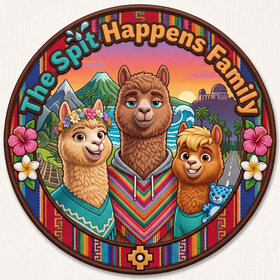
The drawings of the family, the cover picture and the logo have a text that says what they show. Icons and decorations are hidden from screen readers.
We measured the colours of the words against what is behind them, in the light colours and in the dark ones. Ordinary text is at least 4.5 to 1 (the lowest we measured is 4.6 to 1) and large text at least 3 to 1 (the lowest we measured is 4.8 to 1).
Everything can be reached and used with a keyboard alone: the menu, the language switch, the vote buttons, the “Add your idea” form and, in the chat, the choice of who to talk to and the ready-made questions. A clear ring shows where you are, the first link on every page jumps to its main part, and what the keyboard lands on is not left under the menu bars.
After you vote, the keyboard stays on the button you pressed.
Each page says which language it is in, so a screen reader uses the right voice.
Every box you can write in has a written label. If something is wrong in a form, the note appears next to its box and a screen reader reads it.
In the chat, a screen reader reads each new message when it arrives, without moving you from where you are. While the family is “thinking”, that is said in words, not only with dots. How many letters you have left is read when you enter the box, and again near the end.
Nothing works only when a mouse pointer is over it.
If your device is set to reduce motion, nothing on the pages moves.
The button “Pause the motion” at the foot of every page stops everything that moves by itself, and stops the voting boards from refreshing by themselves. Press it again and they start again.
Buttons and links are at least 44 pixels wide and tall, for fingers.
The pages fit a screen 320 pixels wide, and can be zoomed to 200%, without scrolling sideways. Zooming is never blocked.
A link that opens a new tab says so.
What is not right yet
The postcards, the pictures the family posts every day, have the first line of their post as their text. It does not always say what the picture shows.
Those lines are shown as they were posted. A post that went out in both languages shows in the language of the page; one that exists in one language only is shown on both pages and is marked with its language, so a screen reader can change its voice. It still reads their emoji aloud.
On a voting board, the ideas change places as votes come in. A screen reader is told when your own vote is counted, but not when the order changes.
On a small screen, or zoomed in a lot, the menu bars at the top and the bottom take up a good part of the screen.
On a phone the menu is at the bottom of the screen, but a keyboard or a screen reader reaches it first, before the page itself. The first link on the page skips past it.
The videos are on Instagram and Facebook. Those are separate services, and we cannot change how they work.
Tell us about a barrier
If something on this site gets in your way, please write to hello@spithappensfamily.com. Tell us which page it was, what happened, and what you were using, for example the browser or the screen reader.